























No-code workflow builder

Your whole process, built the way you run it.

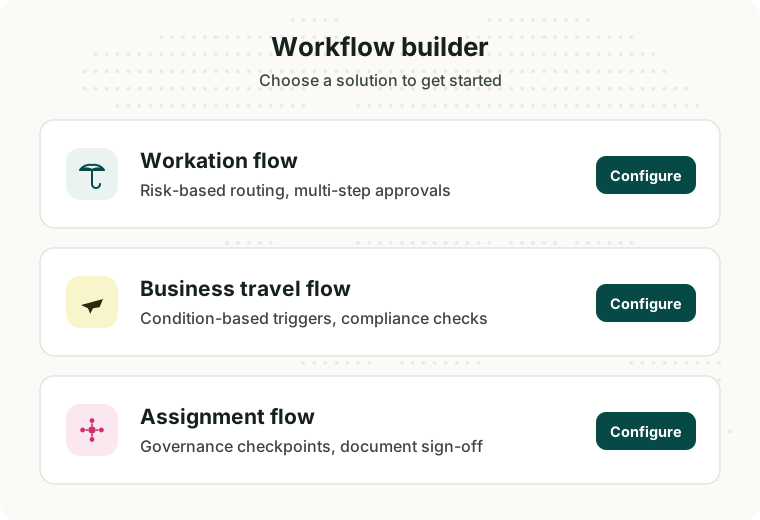
Workations, business travel and assignments each get their own workflow, built end to end in a drag-and-drop canvas: conditions, documents, notifications and approvals, not just who signs off. Start from a template, and every request finds its own way from there.

The workflow builder home screen: choose a workation, business travel or assignment flow to configure.

Hundreds of companies trust WorkFlex to handle their global mobility compliance.

DeelGoldwindidealoVolvoTelenorMazdaUrban Sports ClubdmScout24EnpalEnertragStadlerFlixBertrandtLondon & PartnersBioNTechGüntnerSartoriusCovestroFlenderJack WolfskinCarfax
Templates, not a blank page

Start from a proven pattern, then change anything.

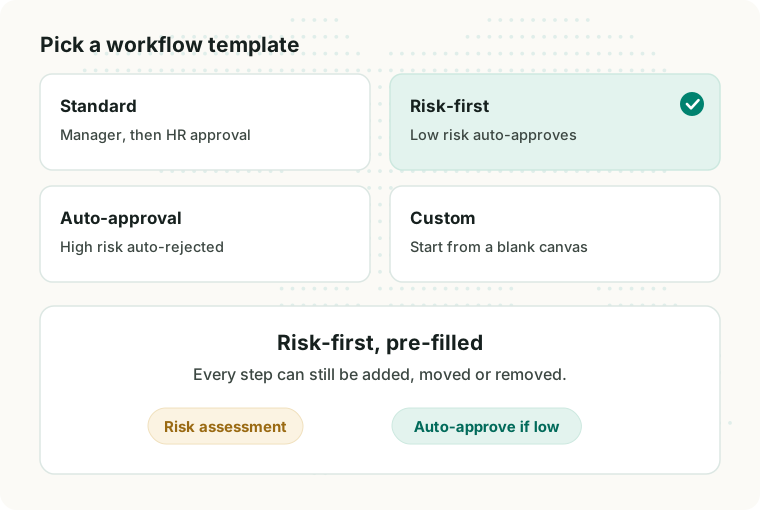
Each flow opens with presets, so the common shapes are already built: risk assessment with manager and HR approval, risk-first with low-risk auto-approval, or a compliance-triggered flow for travel. Pick one and adjust it, or start from a blank canvas and build your own.

The template picker: create custom flow, standard, risk-first and auto-approval presets.
Three flows, one builder

Every request type gets its own path.

Conditions, documents, notifications and approvals are all yours to arrange, per flow. Pick one to see how it runs.

Workation flow
  • The risk assessment is one possible trigger, not the only one: duration, destination and trip purpose can branch a flow just as well.
  • Standard sends every level to HR approval after the manager.
  • Risk-first lets low risk auto-approve and keeps a person on the rest.
  • Whichever you pick, the flow ends with the travel documents generated.
Business travel flow
  • Trip: more than a set number of days, a destination in a chosen set, a matching trip purpose.
  • Compliance: the overall compliance status, a visa requirement, a Posted Worker Notification.
  • Organisation: a specific employment entity, or trips submitted manually in the platform.
  • Presets for the usual cases: compliance risk, visa required, long trips.
Assignment flow
  • Approvals: internal, to your team, external by email to someone without a WorkFlex account, or dedicated Host and/or Home manager approval blocks for extra customisation.
  • Documents: hold the assignment until they are uploaded, and send each one to its own approver.
  • Notifications: a heads-up with an optional message, which never blocks the flow.
  • Vendor services are selected automatically, and auto-approve or auto-reject can decide on their own.
app.workflex.com/workflow-builder
Trip request submitted
Manager approval
Risk assessment
Low riskAuto-approve
Medium riskHR approval
High riskAuto-reject
Documents created
Travel request submitted
Compliance summary generated
Trigger condition: trip is more than 7 days
MatchesManager, then HR
Does not matchStraight through
Trip approved
Assignment request submitted
Document availability
Branches, first match wins
Over 6 monthsLegal sign-off
Under 6 monthsHR approval
Everything elseNotify HR
Assignment processed
Automated decisions

The simple ones never reach a person.

Auto-approve and auto-reject are steps like any other. Put them where a rule can decide on its own, and your team is left with the requests that genuinely need judgement instead of the queue of obvious ones.

42resolved by your rulesno one had to look
6need a decisionthis is the whole queue
  • Lena K.Berlin to Lisbon · 12 daysAuto-approved
  • Priya S.London to Singapore · 4 monthsNeeds a decision
  • Tomás R.Madrid to Dublin · 3 daysAuto-approved
  • Anja W.Hamburg to Vienna · 6 daysAuto-approved
  • Jonas B.Munich to Minsk · 9 daysAuto-rejected
  • Sofia M.Milan to Zurich · 5 daysAuto-approved
  • Daniel O.Dublin to Boston · 8 weeksNeeds a decision
  • Nora H.Copenhagen to Oslo · 4 daysAuto-approved
  • Ravi P.Berlin to Bangalore · 3 weeksNeeds a decision
  • Elif K.Vienna to Istanbul · 7 daysAuto-approved

Out of 48 requests this week, six reached a person.

Approvals are one piece of the assignment puzzle.

WorkFlex also handles the compliance assessment, A1 certificates, posted worker notifications, cost projections and visas behind every assignment.

Ensure 100% compliant business trips without the paperwork on your agenda.

Let WorkFlex handle A1 certificates, visas, PWNs, tax requirements, and more for your business trips worldwide. All-in-one platform.

Learn more
Business-travel compliance overview for a trip from the Netherlands to Greece: compliance risks checked, A1 certificate and insurance handled, and €5M liability cover active.
Verified on OMR4.8 out of 5 stars on OMR Reviews

Not our word for it. The word of HR and global mobility teams.

Verified reviews from HR and global mobility teams, straight from our OMR profile.

Stadler Rail AGTransportation/Railroad · 1,001+ employeesVerified
5
Ensuring compliant business travel worldwide, including visa management and duty of care, significantly reduces the workload for our HR team.
DianaExecutive Assistant
EGYM SESports · 1,001+ employeesVerified
5
We are thrilled to offer this tool to our employees as a genuine benefit for flexible work. … The tool saves us a massive amount of administrative effort and provides peace of mind for everyone involved.
MelaniePeople Operations Partner
gridX GmbHComputer Software · 51–1,000 employeesVerified
5
Offering employee benefits is one thing, but with WorkFlex, it’s truly possible to make them transparent, self-explanatory, and easy to manage. I wouldn’t want to be without it in my day-to-day HR work!
Anna KatharinaTeamlead People Management
FAQs

Wondering how the workflow builder fits your approval process?

Here are the questions we get asked most.

Who can build and change a workflow?

Admins build and edit flows directly on the canvas. Changes take effect without a release, a developer or a support request.

How does a request pick its path?

It depends on the flow. Workations fan out by the risk assessment into low, medium and high. Business travel checks your trigger conditions and splits into matches and does not match. Assignments run branches top to bottom, where the first match wins and anything left over drops into a catch-all.

Can approvers sit outside WorkFlex?

Yes. External approval and document approval both route by email, so approvers do not need a WorkFlex account.

Can we require documents before a request progresses?

Yes. Document availability holds the request until the required documents are uploaded, and document approval sends each one to its own approver.

Do we have to build a flow from scratch?

No. Each flow opens with presets you can adjust, and a blank canvas is there if you would rather start empty.

Ready to build your own approval flow?

A 20-minute demo, and we will build one of your real approval flows on the canvas with you.

Book your demo